From Script to Screen: The Independent Filmmaker's Guide to Free AI Production Tools in 2026
The dream has always been the same. You write a screenplay, you see the scenes in your head, and then you hit the wall called reality. Budgets. Crews. Equipment. Locations. The gap between vision and execution has defeated more filmmakers than any studio executive ever could.
But in early 2026, that gap is closing. For the first time, a filmmaker with a laptop, an internet connection, and a completed script can generate cinematic footage from nothing but words. The tools exist. They are free. And they are ready for you to use right now.
This is not a promise about the future. This is a practical guide to the present. Here is exactly how you can turn your screenplay into film using artificial intelligence, step by step, with tools that cost nothing to start.
Understanding the New Production Pipeline
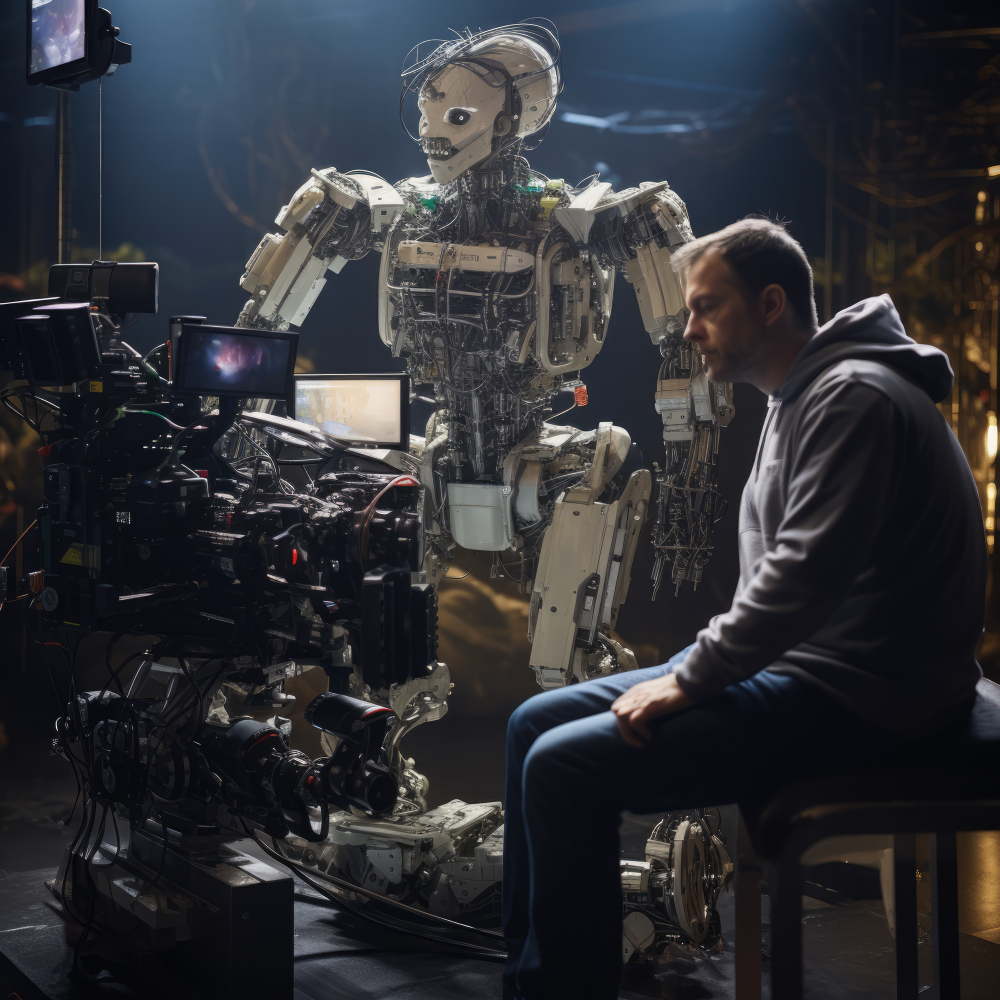
The traditional filmmaking workflow involves hundreds of people and millions of dollars. The AI workflow involves three distinct phases that mirror traditional production but replace expensive physical processes with computational ones.
First, you need to translate your screenplay into prompts that AI models can understand. Second, you generate the visual elements, scenes, characters, and environments. Third, you assemble everything into a coherent film with sound and motion.
The technology has matured dramatically in the past twelve months. According to independent benchmarks, the leading AI video models now generate 1080p footage with native audio, dialogue, ambient sound, and music all produced in a single pass rather than stitched together afterward . This means the Frankenstein approach of assembling clips from multiple tools is increasingly unnecessary.
What follows is a practical roadmap using tools that are either completely free or offer substantial free tiers that allow you to complete actual projects without spending money.
Phase One: Preparing Your Screenplay for AI Generation
Before you generate a single frame, you must convert your screenplay into machine readable instructions. The quality of your output depends entirely on the quality of your input.
Break your screenplay into individual shots. The AI models available today generate clips ranging from five to twenty seconds. You cannot feed an entire three act structure into a generator and expect a film to emerge. Instead, treat each shot as a separate generation task. A typical scene might require ten to fifteen individual clips.
Write visual descriptions that include camera language. The newer models understand cinematic terminology. Google's Veo, which powers several free platforms, has advanced understanding of terms like "timelapse," "aerial shot," and "dolly movement" . If your screenplay says "close up on the protagonist's eyes," the AI will interpret that literally. If it says "wide establishing shot of a futuristic city at dusk," you will get exactly that.
Extract character descriptions. One of the persistent challenges in AI filmmaking has been character consistency. A character should look the same from shot to shot. The solution lies in creating detailed character description sheets before you begin generating. Specify clothing, hair color, facial features, and distinguishing marks. Keep these descriptions in a separate document and reference them in every prompt .
Phase Two: Free Tools for Generating Your Footage
The landscape of free AI video generation has expanded rapidly. Here are the most reliable options available today, each with different strengths.
Seedance 2.0 via Seedance2ai.online offers a genuinely free tier with no credit card required. The platform provides browser based access to one of the most capable AI video models currently available. You can generate 1080p video from text prompts or still images, with native audio baked into every clip. The free tier produces clips up to twelve seconds long with no watermark and no branding stamped on your output. Seven aspect ratios are available including 16:9 for widescreen and 9:16 for vertical formats .
MyEdit provides a robust free tier starting at zero cost. Their text to video feature impressed testers by generating complete short videos within seconds, complete with background music, voice lines, and smooth transitions that matched the text perfectly. The AI interprets tone and context, turning simple scripts into expressive short clips. The platform also offers image to video conversion, allowing you to upload reference photos and animate them .
Luma Dream Machine offers a free tier that ranks among the most visually advanced options. It transforms text or image prompts into cinematic sequences with realistic motion, dynamic perspective shifts, and natural lighting. During testing, the platform demonstrated remarkable camera movement and smooth transitions between shots. While fine grained control remains limited, the output quality rivals paid alternatives .
Kling provides free access with plans starting at $6.60 per month for expanded features, but the free tier remains substantial. Kling excels at expressive detail and can generate videos up to two minutes long at 1080p, significantly longer than most competitors. It demonstrates sophisticated grasp of complex physics and motion, making it ideal for action sequences or scenes requiring detailed character movement .
Pippit's AI Screenplay Maker takes a different approach by integrating script writing with video generation. The platform allows you to upload your screenplay and use its AI video generator, powered by Veo 3.1 and Sora 2, to create fully animated video with motion, timing, and effects. It even allows you to customize scenes, pacing, and style to match your vision. The free tier includes basic generation capabilities .
Skywork AI's Video Agent offers a comprehensive free tier that includes text to video, image to video, and video extension. What distinguishes Skywork is its focus on consistency. Unlike early generation tools that produced flickering or morphing artifacts, Skywork's models maintain subject identity across multiple generations. The platform supports up to thirty second clips with resolution up to 1080p on the free tier .

Phase Three: The Open Source Alternative for Technical Filmmakers
If you are comfortable with command line interfaces and want complete control over your output, the open source community has built extraordinary tools that run entirely on your own hardware.
MoneyPrinterTurbo lives up to its ambitious name. This open source tool provides a web interface that requires no coding experience. You input a topic or theme, and the tool automatically generates文案, selects素材, adds subtitles, and creates background music. The hardware requirements are modest, needing only 8GB of GPU memory. A complete sixty second video with narration and subtitles generates in approximately three to five minutes. The success rate hovers around eighty five percent, meaning occasional failures, but for batch production of scenes, it is remarkably efficient .
CogVideoX comes from Tsinghua University's Zhipu AI team and has earned over eight thousand GitHub stars. It supports both text to video and image to video generation, with multiple model sizes ranging from 2 billion to 5 billion parameters. The 2B model requires approximately 8GB of VRAM and generates six second clips at 1080p in five to seven minutes on a RTX 3090. The tool excels at understanding Chinese prompts but works perfectly with English as well. Its mature ecosystem includes numerous plugins and community tutorials .
LTX-2 represents the cutting edge of open source video generation, released in January 2026. Its killer feature is native audio synchronization. The model generates video with dialogue, sound effects, and music all integrated, eliminating the need for post production audio work. It produces 4K resolution at 50 frames per second for up to twenty seconds. The hardware requirements are steep, 18GB of VRAM and approximately ten minutes generation time for a ten second 4K clip on a RTX 4090. But for filmmakers who need maximum quality and are willing to invest in hardware, it is transformative .
FilmStitch emerged from a hackathon project and demonstrates what focused development can achieve. The pipeline takes a film idea, generates a ten segment script using Claude, creates detailed character descriptions, produces keyframe images using FLUX, and finally interpolates video segments using LTX Video. The entire process runs on Modal's cloud infrastructure with pay per second billing. The project's documentation reveals sophisticated techniques for maintaining character consistency across multiple generations, including multi reference CLIP conditioning that averages embeddings from multiple character reference images .
Phase Four: Assembling Your Film
Once you have generated your individual clips, you need to assemble them into a coherent narrative. Several free tools excel at this final stage.
Kapwing offers a generous free tier and has positioned itself as the leader in collaborative online editing. Rather than functioning purely as a generator, Kapwing operates as a comprehensive cloud based video studio. Its AI powered text based editor and Smart Trim tools make it easy to take multiple generated clips and arrange them into a cohesive scene. Multiple team members can edit, comment, and review simultaneously, making it ideal for collaborative projects .
DaVinci Resolve remains the gold standard for professional post production and its free version includes nearly all features of the paid version. You can import your AI generated clips, color grade them for consistency, add transitions, and export in professional formats. The learning curve is steep, but the capability is unmatched at any price point.
FFmpeg serves as the command line backbone for video assembly. Tools like FilmStitch use FFmpeg's concat demuxer for gapless segment joining, ensuring smooth transitions between AI generated clips . For filmmakers comfortable with command line tools, FFmpeg offers precise control over the final output.
The Workflow in Practice
Here is how these tools work together in a real production scenario.
You have a screenplay. You break Act One into individual shots. For each shot, you write a detailed prompt including camera movement, lighting, character appearance, and mood.
You open Seedance2ai.online in your browser. You paste your first prompt. Twelve seconds later, you have a 1080p clip with synchronized audio. You download it. You repeat for the remaining shots.
For scenes requiring longer takes, you switch to Kling's free tier and generate twenty second clips. For scenes with complex character interactions, you use Skywork's reference to video feature, uploading character sheets you created earlier to maintain consistency.
You import all clips into Kapwing or DaVinci Resolve. You arrange them according to your screenplay. You add transitions where needed. You export the final film.
A ten minute short film that would have required a crew of twenty and a budget of fifty thousand dollars can now be produced by one person in a matter of weeks, at zero cash cost.
What the Experts Say
The industry is taking notice. Sanket Shah, CEO and co founder of Invideo, which serves thirty million creators, frames the transformation in practical terms. "We're focused on the future of filmmaking, not as just a technology provider, but as a true partner to filmmakers. We're building end to end AI pipelines that empower filmmakers to bring their vision to screen while making economic sense for the industry. When AI works for filmmakers creatively and financially, everyone wins" .
Sashi Sreedharan, Managing Director of Google Cloud in India, adds perspective on the creative implications. "Filmmaking has always been an evolving art form, and today, AI is opening a new chapter where creators can bring concepts to life that were previously out of reach. This enables studios to move beyond technical limitations and friction, and reimagine the possibilities of what can be brought to the screen" .
The numbers support their optimism. The global AI in media and entertainment market is projected to reach 66.5 billion dollars by 2032 . But for independent filmmakers, the relevant figure is zero, the cost of entry for the tools described above.
Limitations and Workarounds
No technology is perfect, and understanding current limitations will save you frustration.
Character consistency remains challenging. Even with detailed descriptions and reference images, AI models occasionally alter appearances between generations. The workaround is to generate multiple versions of each shot and select those that match. Tools like Skywork's reference to video feature, which allows up to four reference images, significantly improve consistency .
Duration limits restrict scene length. Most free tools generate clips under thirty seconds. The solution is to think in terms of montage and quick cuts rather than long takes. A style that embraces rapid editing actually benefits from these limitations.
Hardware requirements for local tools vary dramatically. LTX-2 requires 18GB of VRAM, while MoneyPrinterTurbo runs on 8GB. If you lack powerful hardware, browser based tools like Seedance and MyEdit require nothing but a modern browser and internet connection .
Audio quality varies between tools. LTX-2 generates synchronized audio natively, but other tools produce only visuals. For those, you will need to add audio separately using tools like Kapwing's audio features or dedicated audio software.
The Bottom Line
You can now make a film from a screenplay using only free tools. The workflow exists. The tools are proven. The only remaining requirement is your vision.
The technology will continue to improve. Duration limits will extend. Character consistency will become reliable. Resolution will increase. But waiting for perfection means missing the opportunity of the present. What exists today is already sufficient to tell real stories.
Open your browser. Break down your screenplay. Write your first prompt. Click generate.
Your film is waiting.
Have a project behind the idea?
I work on websites, branding and film. If you need help turning your next idea into something people can see and use, tell me what you have in mind.
What did you think?
A thought, a different perspective, a little appreciation. You’re welcome here.
.png)